Free access to Microsoft Office is available to Davidson-Davie students and employees. In order to access Office 365 at Davidson-Davie you must be registered for a current or future course. Students and Employees may no longer sign up using their email addresses.
Enter your email address in the format first initial + last name + last 4 of student ID. For example, if your first name is Jane, last name is Doe and student ID is 0123456 your email is jdoe3456@davidsondavie.edu. Then, click “Next”.
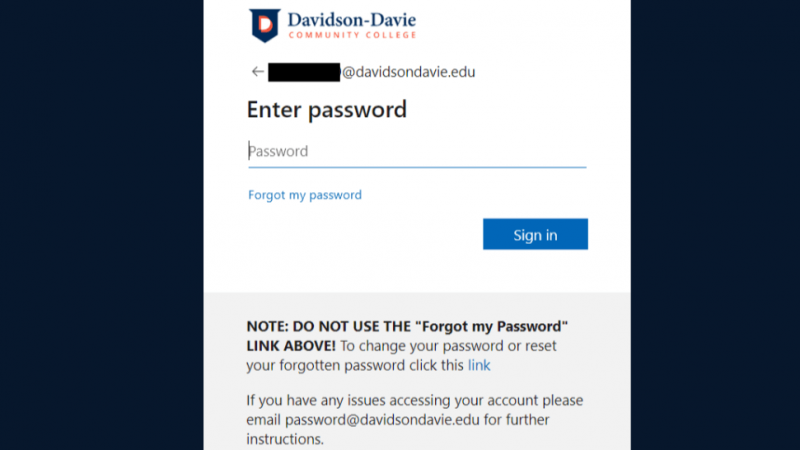
This screen should appear. Your username will appear where the black box is displayed:
Enter your Stormtrac password. This is the same password you use for Moodle, Starfish, Google and Student Planning. Then click “Sign In”.
Install Office
Once logged in, cloud services are on the left. In the upper right corner, you will find a link to allow you to download and install Office on your personal devices. Click the “Install Office” link and follow the prompts.
Remember
Do NOT share your access with anyone else it is only for your personal use.
Do NOT try installing this on college-owned devices in labs or offices.
Do NOT use the “Forgot my password” link under the password field. Use the blue link at the bottom of the login window or email password@davidsondavie.edu for assistance.